If you have spoken to an access-control vendor in the last two years, you have heard the pitch: fobs are dead, mobile credentials are the future, and your community will pay less and live happier when residents unlock the gym with their phone. The pitch is partly true and partly marketing. This article works through where it is true, where it is not, and what an apartment community in Houston should actually buy in 2026.
Houston security firm. Only multifamily. Nothing else. The reason that frame matters is that access-control vendor demos are written for office and corporate-campus buyers. The persona is a single building, one IT team, one HR department, and a controlled employee population. Multifamily is the opposite — residents come and go on their own lease cycle, the staff turnover at the leasing office is higher than the resident turnover, guest access is permanent and ambient, and the property has no IT department. The right access-control choice is the one that survives that reality, not the one with the prettiest dashboard.
What the two technologies actually are
Proximity fobs
A fob is a small plastic credential that holds an RFID chip. The chip emits a unique number when energized by the field of a nearby reader. The reader sends the number to a controller, which compares it to a list of authorized credentials and decides whether to unlock the door or open the gate. Fobs have been the multifamily standard for two decades because they are cheap to produce, the readers are cheap to install, and the technology is well understood.
Fobs come in flavors. The oldest are 125 kHz proximity (often called “HID Prox” even when the manufacturer is not HID), which are essentially uncopyable to the casual person but trivial to clone with a fifteen-dollar device from Amazon. The current standard is 13.56 MHz contactless smart cards (Mifare DESFire, HID iCLASS Seos, Legic Advant), which use encrypted challenge-response and are practically uncloneable when configured correctly. The difference between these two is not academic. A property still running 125 kHz prox fobs in 2026 has a credential system whose master key is published in YouTube tutorials.
Mobile credentials
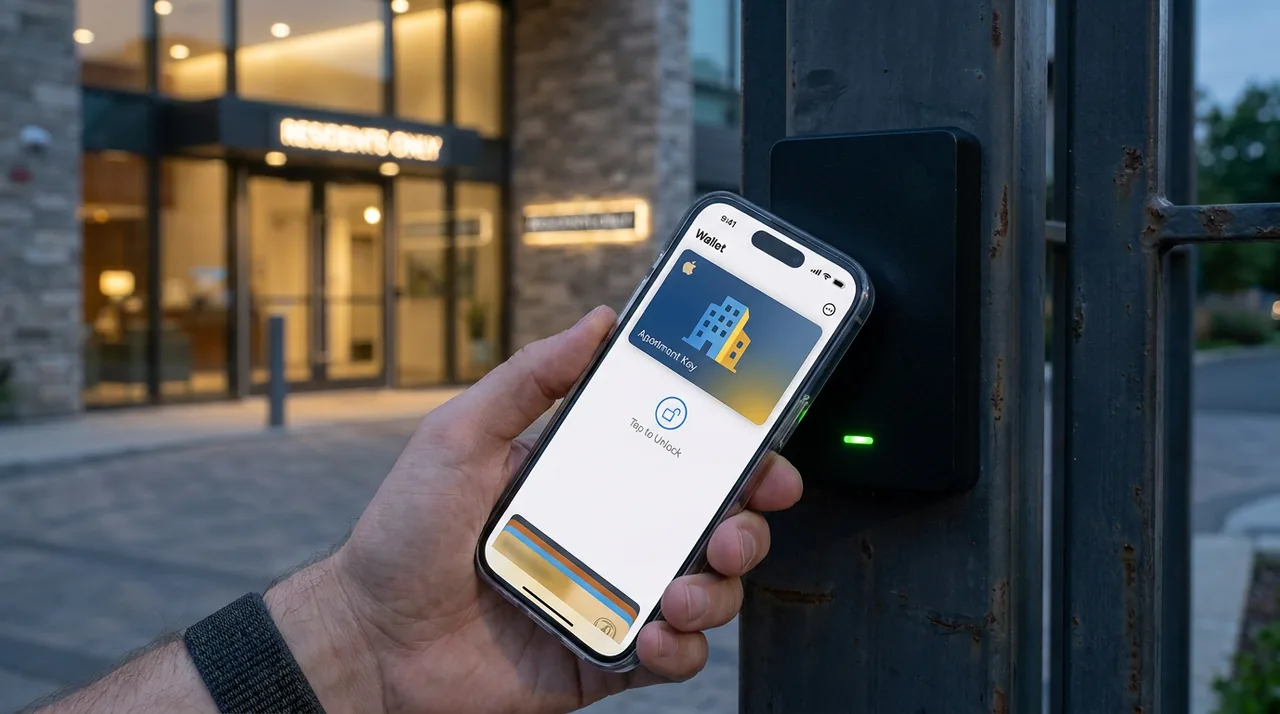
A mobile credential is the same authorization number, delivered through Bluetooth Low Energy (BLE) or Near Field Communication (NFC) from a smartphone instead of a fob. The credential lives in an app on the resident’s phone, often issued through a cloud platform tied to the property-management software. The reader has a BLE or NFC module that listens for the credential when the resident approaches.
The headline advantages of mobile credentials are real: no physical inventory to manage, instant issuance and revocation, no lost-fob fee to argue over, and residents already have the device in their hand. The headline disadvantages are also real: phones run out of battery, app updates break things, BLE proximity is genuinely tricky to tune, and residents who switch phones lose their credentials at exactly the moment they cannot wait at the gate to call the leasing office.
The honest comparison
| Factor | Proximity fob (smart card) | Mobile credential |
|---|---|---|
| Hardware cost | Lower upfront. Readers and controllers cost less. | Higher per-reader cost (BLE/NFC capable). |
| Per-credential cost | $3–$10 per fob, one-time. | $2–$5 per resident, recurring annually on most platforms. |
| Issuance friction | Resident picks up fob at office. Few minutes. | Resident installs app, completes invite flow. Minutes when smooth, hours when not. |
| Revocation | Click in management software. Done. | Click in management software. Done. |
| Lost or forgotten | Lost fobs are an issue but a known one. Office issues replacement. | Forgotten phone is a common rare event. Battery-dead phone happens regularly. |
| Resident demographic fit | Universal. Works for every age and tech comfort level. | Best for younger demographics. Some older residents resist app installs. |
| Cloning risk | Encrypted smart cards: practically zero. Old 125 kHz: trivial. | Encrypted credentials: practically zero. Implementation-dependent. |
| Cloud / vendor dependency | Optional. Can run on-prem. | Required. The credentials live in a vendor cloud. |
| Guest pass workflow | Physical fob handed out, recovered on exit. Awkward. | Time-limited mobile pass. Far better resident experience. |
| Vehicle gate sensing | Long-range RFID tags integrate with windshield decals or transponders. | BLE phone-in-pocket through a closed car window is unreliable. Most installs still use a long-range RFID tag here. |
When fobs still win
For some communities, fobs continue to be the right choice. The patterns we see most often:
- Older or mixed-demographic communities. Properties with a meaningful portion of residents over sixty-five or with a significant non-English-speaking population frequently push back on app-based credentials. A modern smart-card fob serves everyone without a parallel paper-key workaround for non-app users.
- Properties without reliable mobile coverage. A handful of garden communities have poor cellular coverage at the gate. Mobile credentials degrade gracefully but they degrade. Fobs do not depend on the resident’s phone state.
- Communities with high short-term-rental or sub-let activity. The legitimacy of those rentals aside, properties dealing with it operationally find that physical fob recovery is a clearer enforcement signal than chasing app deactivation.
- Communities whose vehicle gates need long-range identification. Long-range RFID windshield tags are a mature, reliable solution. Trying to read a BLE phone through a closed car window from twenty feet away is not.
- Properties on a tight capital budget. Existing fob-based hardware works. Ripping it out to install BLE readers is meaningful capital. If the existing system is on encrypted smart cards and is well-administered, “upgrade” is the wrong word.
If an access-control vendor cannot articulate a scenario in which mobile credentials are the wrong choice, the vendor is selling, not advising. The right answer for an apartment community is property-dependent. A vendor who pretends otherwise is signaling a generalist approach.
When mobile credentials win
- New construction or major retrofits. If the install is happening anyway, modern BLE/NFC readers cost only a modest premium and give you both rails. Specify dual-mode readers that accept both fobs and mobile.
- Young-skewing communities. Class A in central Houston, downtown high-rises, student-adjacent properties. Adoption rates are higher and the resident experience improvement is real.
- Communities with high guest traffic. Mobile guest passes are a step-change improvement over physical fob hand-off. Time-limited, named, logged, revoked automatically.
- Properties where the leasing office is small or has limited hours. Mobile issuance happens outside office hours. Fob hand-off does not.
- Properties that already use a property-management platform with native mobile credentials. The integration reduces the operational burden.
The hybrid setup we deploy most often
The most common configuration on Houston multifamily new builds and major retrofits in 2026 is dual-mode: readers that accept both encrypted smart-card fobs and mobile credentials, with the resident choosing at move-in. Roughly two-thirds of residents opt for mobile on younger-skewing properties; roughly one-third opt for fobs across the broader mix we see. Vehicle gates remain on long-range RFID tags — rear-window decals or windshield transponders — because the technology is simply better for that use case.
The dual-mode setup carries a modest hardware premium and a meaningful operational benefit: no resident is forced into a credential model that does not fit them. The leasing office still keeps a small stock of guest fobs for the occasional contractor or service vendor whose company will not let them install a resident-portal app.
Whatever credential model the property chooses, the audit and revocation discipline matters more than the credential type. A property that revokes credentials within 24 hours of a move-out is more secure than a property with shiny new mobile credentials and a backlog of inactive residents still on the access list.
Specific failure modes to design around
Phone dead at the gate
This will happen, often. Have a fallback. A simple intercom that connects to the leasing office during business hours and to the patrol team after hours. A guest-pass workflow that staff can issue verbally during the call. Do not let the resident’s dead battery become an angry maintenance ticket.
Vendor cloud outage
Mobile credentials depend on the vendor’s cloud for issuance and sometimes for verification. Real-time verification dependencies are a single point of failure. Specify systems that cache the authorization list at the controller so that a cloud outage does not lock residents out of their own building. Test this annually by deliberately disconnecting the controller from the internet and confirming that residents can still get in with their existing credentials.
BLE proximity tuning
The single most common complaint with mobile credentials is “I have to wave my phone at the reader.” BLE proximity is configurable on most platforms. Tune it during install. A reader that triggers from across a hallway is as bad as one that only fires when the phone is touching it.
App version drift
Vendor apps update. Residents on older phones sometimes fall behind. Your help desk needs a clear answer for “my app won’t open” and a fallback that lets the resident in while the support ticket runs.
Privacy and data questions
Mobile credentials generate more data than fobs. Where your residents are, when they came home, when their car arrived — the cloud platform sees all of it. That is not automatically a problem, but it deserves explicit attention. A few questions to ask any mobile-credential vendor:
- Where is the data stored, and under what jurisdiction?
- Who has access to it inside the vendor?
- What is the resident’s opt-out path, and what does it cost in functionality?
- What happens to the data when the resident moves out?
- How is law-enforcement access governed? Subpoena? Voluntary cooperation?
- What does the contract say about data ownership versus data licensing to the vendor?
Fob systems generate less data and are less complicated to govern. That is not necessarily a reason to choose fobs, but it should be on the decision spreadsheet.
What we recommend by community type
- New construction, Class A, central Houston / downtown / Galleria: dual-mode readers, mobile-first issuance, fob fallback. Long-range RFID at vehicle gates.
- Existing Class A or B with recent (5–7 year old) encrypted smart-card fob system: keep the fob system, run it well. Add mobile only at the next major capital cycle.
- Existing community on 125 kHz prox fobs: the credential system is effectively open. Upgrade to encrypted smart cards regardless of whether you add mobile.
- Class C garden community with older demographic: encrypted smart-card fobs. Mobile credentials are a friction story that will not pay back.
- Mixed-use with retail on the ground floor: dual-mode at residential entries, separate keyed credential system for retail tenants. Do not blend the two.
Key takeaways
- Mobile credentials are a real upgrade for the right communities, not a universal upgrade.
- The single most important credential upgrade in 2026 is moving off 125 kHz proximity fobs to encrypted smart cards or mobile — whichever fits the community.
- For new builds and major retrofits, dual-mode readers (fob plus mobile) are the safest choice. Let residents pick.
- Vehicle gates still belong on long-range RFID. BLE through a windshield is unreliable.
- Operational discipline — same-day revocation, quarterly audit — matters more than credential technology.
- Specify cached authorization at the controller so a cloud outage does not become a resident lockout.